React Forms and Redux Assignment
Instruction In this assignment, you will be updating the React application with a react-redux-form based local form and do the form validation in code.
Assignment Overview In this assignment, you will update the DishdetailComponent.js to include a form and do the form validation in code. At the end of this assignment, you should have completed the following tasks to update the page:
- Added a new class component named CommentForm to DishdetailComponent.js
- Provide a form to enable users to submit their comments
- Validate the information entered by the users in the form
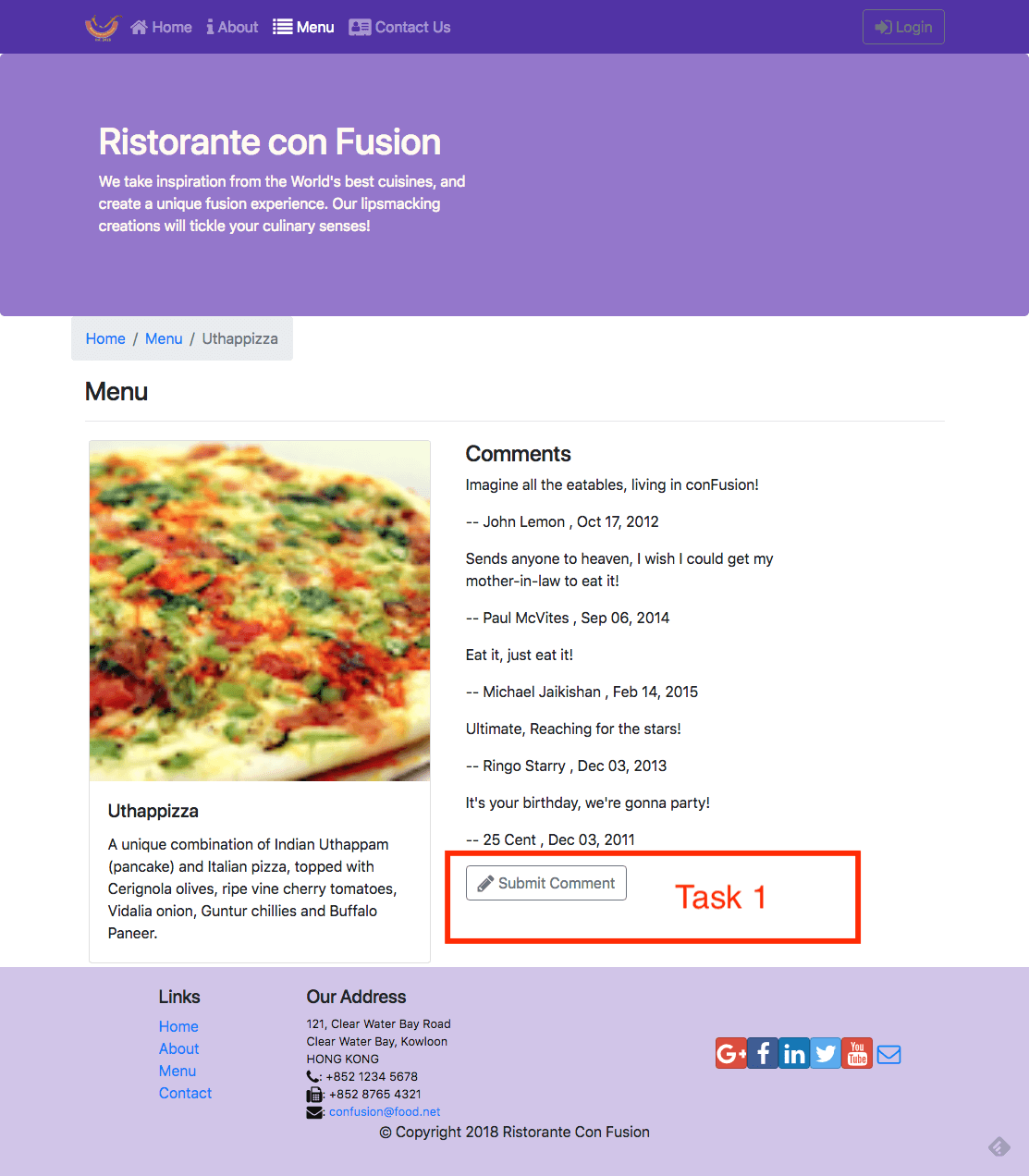
Assignment Requirements Task 1 In this task you will add a new class component named CommentForm You need to complete the following:
- Add a new class component named CommentForm that will add a button to the view as shown in the image below.
- When the button is clicked, it toggles a modal that will display the comment form.
- The CommentForm component is used by the RenderComments function to display the button for toggling the modal.
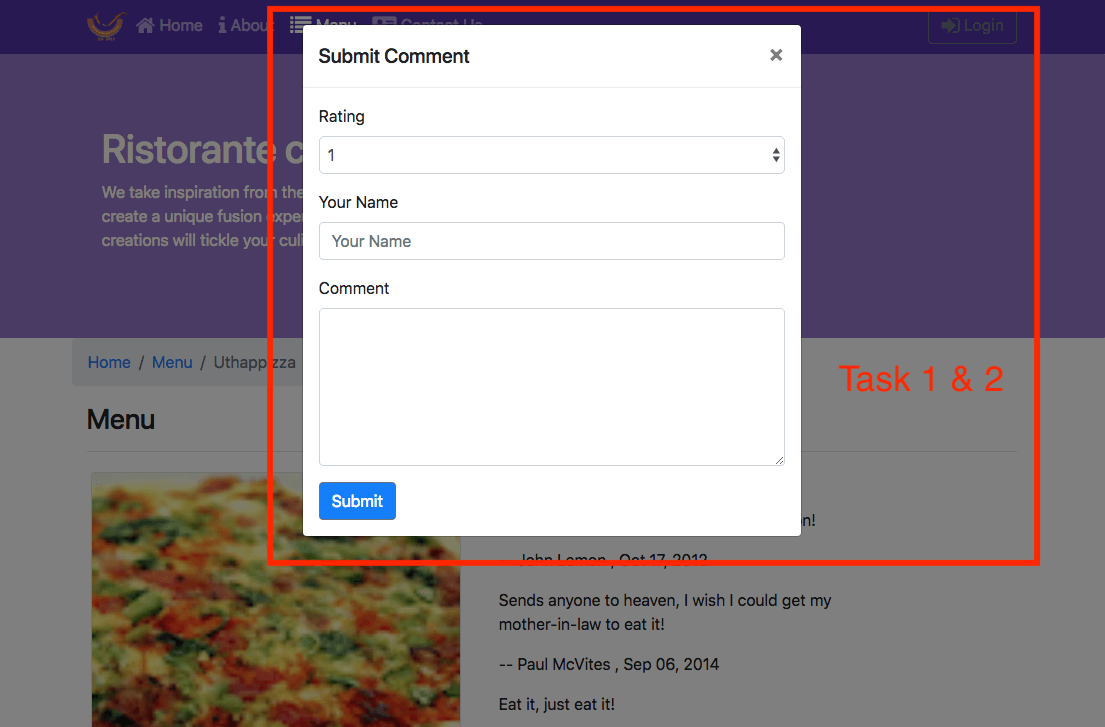
Task 2 In this task you will construct the form for users to submit their comments as shown in the image below. You need to complete the following:
- Set up the form as a local form using the react-redux-form with the three fields: author, rating and comment.
- The rating field in the comment form is implemented using a select, the author is implemented using a text field, while the comment uses a textarea with six rows.
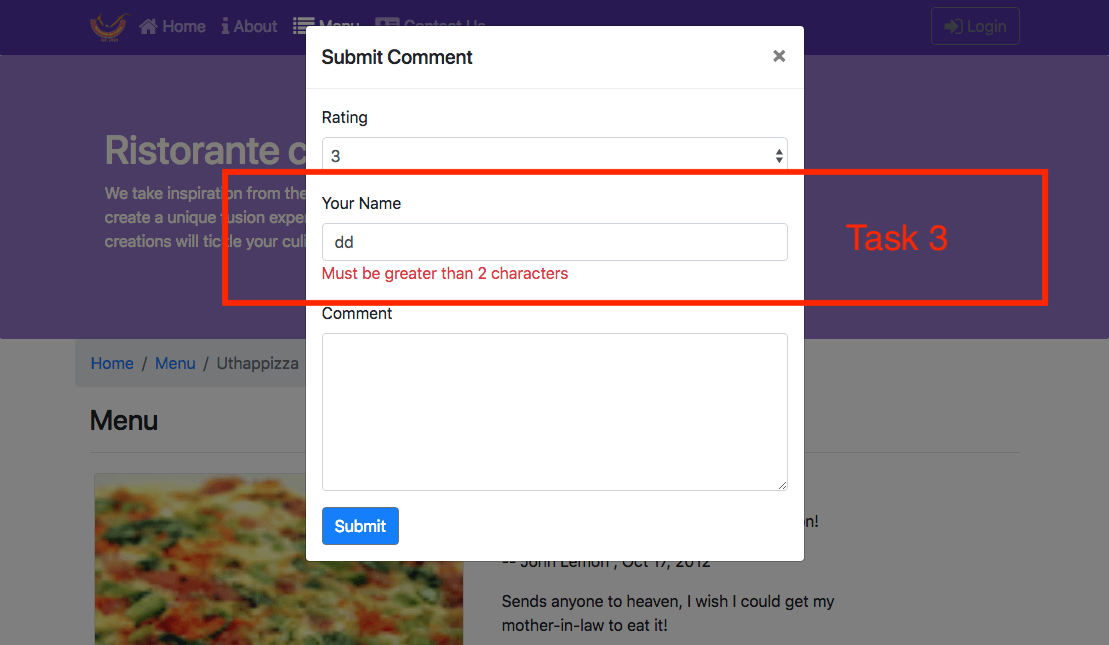
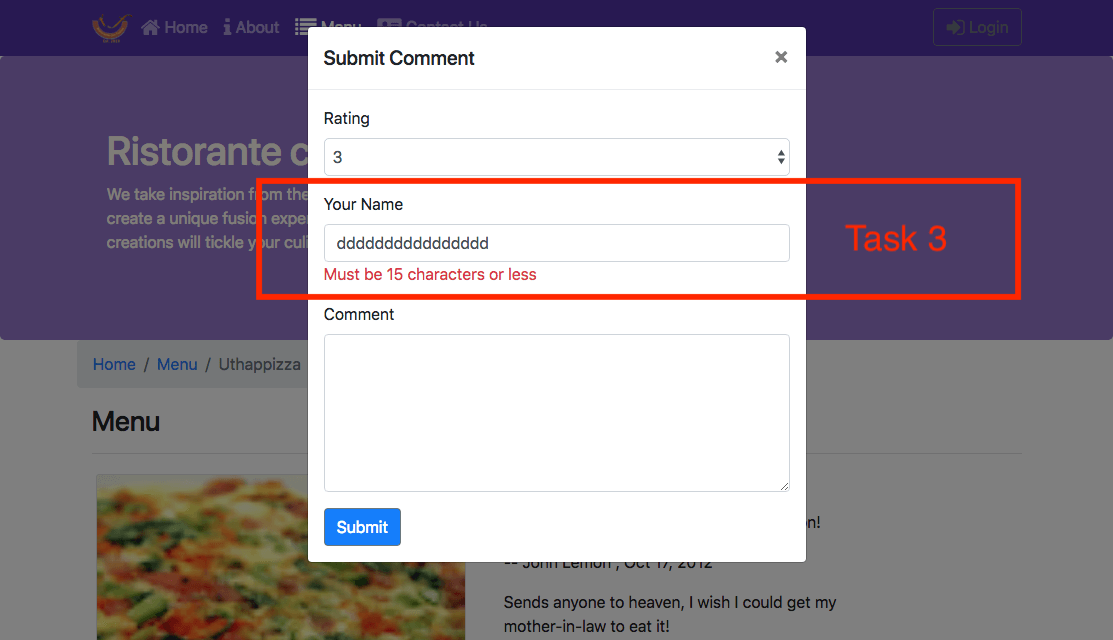
Task 3 In this task, you will enable form validation as shown in the images below. You need to complete the following:
- The author field should at least be three characters long.
- The author field should be less than or equal to 15 characters.
- The user should be alerted by showing the invalid message displayed at the bottom of the field.